
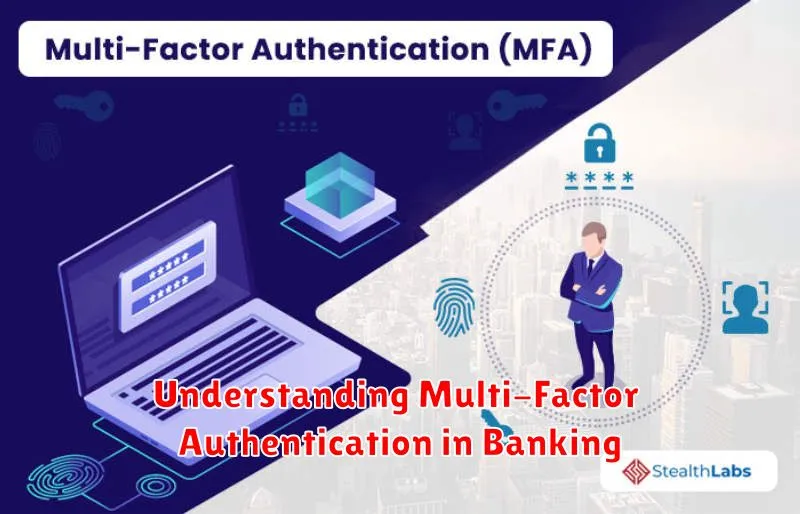
In today’s interconnected world, ensuring the security of your financial information is paramount. Multi-factor authentication (MFA), sometimes referred to as two-factor authentication (2FA), has become a critical security measure for protecting banking accounts and sensitive financial data from unauthorized access. This article will provide a comprehensive understanding of multi-factor authentication in banking, explaining its importance, how it works, and the various methods used to implement it. Understanding MFA is crucial for anyone who utilizes online banking or manages financial accounts digitally.
Multi-factor authentication adds an extra layer of security to your banking experience by requiring multiple factors to verify your identity. This goes beyond simply entering a username and password, which can be easily compromised through phishing scams or data breaches. By implementing MFA, banks significantly reduce the risk of fraudulent activity and protect their customers’ financial assets. This article will explore the different types of authentication factors used in banking, including knowledge-based factors (something you know), possession-based factors (something you have), and inherence-based factors (something you are). Learn how MFA safeguards your banking information and reinforces your overall online security posture.
What Is Multi-Factor Authentication (MFA)?
Multi-Factor Authentication (MFA) is a security system that requires more than one method of authentication to verify a user’s identity. It adds extra layers of protection against unauthorized access, even if one factor is compromised. Instead of simply relying on a username and password, MFA demands additional verification.
MFA typically uses a combination of factors: something you know (like a password), something you have (like a phone or security token), or something you are (like a fingerprint or facial recognition). This layered approach makes it significantly more difficult for attackers to gain access to sensitive information.
Types of MFA Used in Digital Banks
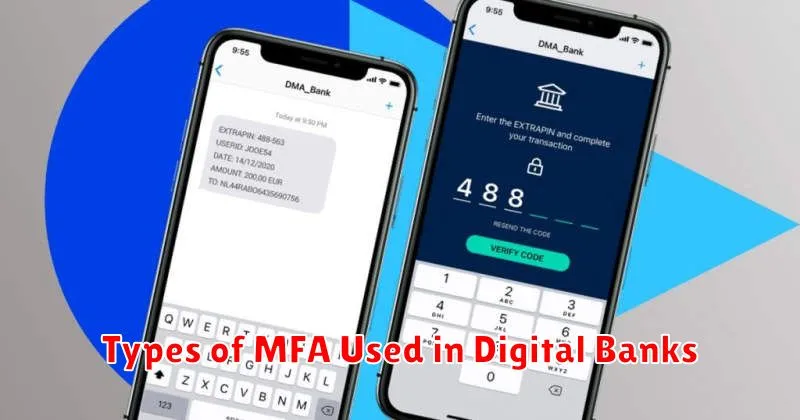
Digital banks employ various MFA methods to enhance security. SMS-based OTP is a common approach, sending one-time codes to registered mobile numbers. Hardware tokens offer enhanced security, generating unique codes offline. Software tokens, often integrated into mobile banking apps, provide a convenient alternative.
Biometric authentication, such as fingerprint and facial recognition, is increasingly popular due to its ease of use. Push notifications through dedicated apps allow users to approve or deny login attempts with a single tap. Some banks also utilize knowledge-based authentication, requiring users to answer security questions.
Why MFA Adds a Layer of Security
Multi-Factor Authentication (MFA) significantly bolsters security by requiring multiple factors to verify a user’s identity. This layered approach mitigates the risk of unauthorized access even if one factor, like a password, is compromised.
Think of it like this: a password is like a key to your account. With MFA, you need both the key (your password) and something else, like a code from your phone, to unlock the door. This makes it much harder for attackers to gain entry.
MFA relies on something you know (password), something you have (phone, security token), or something you are (biometrics). By combining these factors, MFA provides a robust defense against unauthorized access.
How to Enable MFA on Your Account
Enabling multi-factor authentication (MFA) typically involves a few straightforward steps. First, log in to your online banking account. Then, navigate to the security settings section. Look for an option labeled “Multi-Factor Authentication,” “Two-Factor Authentication,” or similar.
You’ll likely be presented with different MFA methods, such as authenticator apps, SMS codes, or email verification. Select your preferred method and follow the on-screen instructions. This might involve scanning a QR code with an authenticator app or verifying your phone number.
Once configured, MFA will be active for your account. Each time you log in, you’ll be prompted for a second form of verification in addition to your password.
Common MFA Errors and Fixes
Multi-factor authentication, while enhancing security, can sometimes present challenges. Here are some common issues and their solutions:
Lost or Broken Device
If your MFA device is lost or broken, immediately contact your bank. They can deactivate the old device and guide you through setting up MFA on a new one.
Incorrect Code
Incorrect codes often stem from time synchronization issues. Ensure your device’s time is accurate. If the problem persists, try generating a new code.
App Not Working
If your authentication app malfunctions, try restarting the app or your device. Check for updates and ensure a stable internet connection.
Best Practices for Using MFA Safely
Treat MFA codes like passwords. Never share them with anyone, and be wary of unsolicited requests for these codes, even if they appear to come from your bank.
Keep your devices secure. Ensure your phone and computer are protected with strong passwords and up-to-date software, including antivirus and anti-malware programs. This helps prevent unauthorized access to your accounts.
Be cautious of public Wi-Fi. Avoid accessing sensitive financial information, including banking apps or websites, while connected to public Wi-Fi networks. These networks can be vulnerable to attacks that could compromise your MFA credentials.
Register trusted devices. If your bank offers the option, register your frequently used devices. This added security measure helps prevent unauthorized access from unfamiliar devices.
When to Update or Review Your MFA Settings
Regularly reviewing and updating your Multi-Factor Authentication settings is crucial for maintaining a strong security posture. You should immediately update your MFA settings anytime you suspect a compromise, such as an unauthorized login attempt or a lost device.
Furthermore, it’s good practice to periodically review these settings. Consider reviewing and updating your MFA methods at least every six months. This allows you to ensure your contact information is current and to evaluate the strength of your chosen authentication factors.
Finally, whenever you update your devices, operating systems, or banking app, take the opportunity to confirm your MFA settings are still correctly configured and functioning as expected.
